How it works
Although FrontHub does a lot of things under the hood, let's show you how simple it is.
Let's begin where it all starts: the end user. When the user types an address in a browser, for example, http://example.com/dashboard:
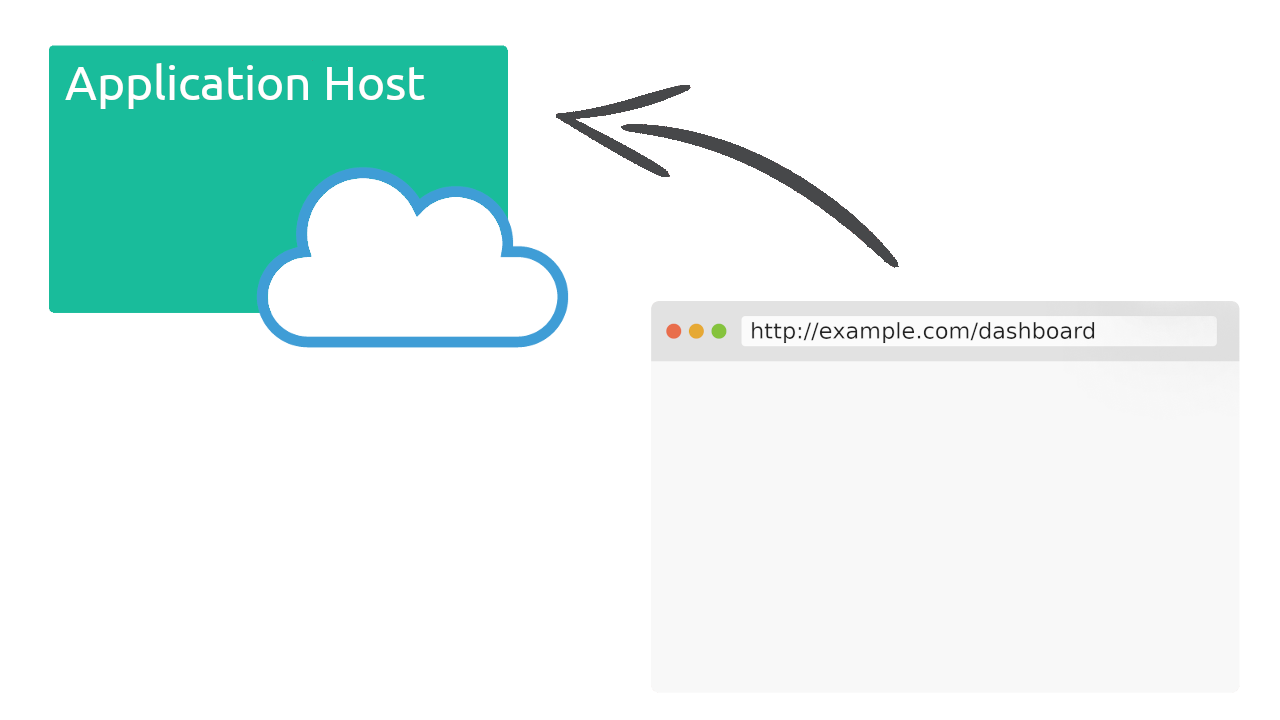
The browser will make a request for your application, as usual, we will call it the Application Host, you can use your preferred language like Node.js, Go, Ruby, Python, Java, PHP, etc.
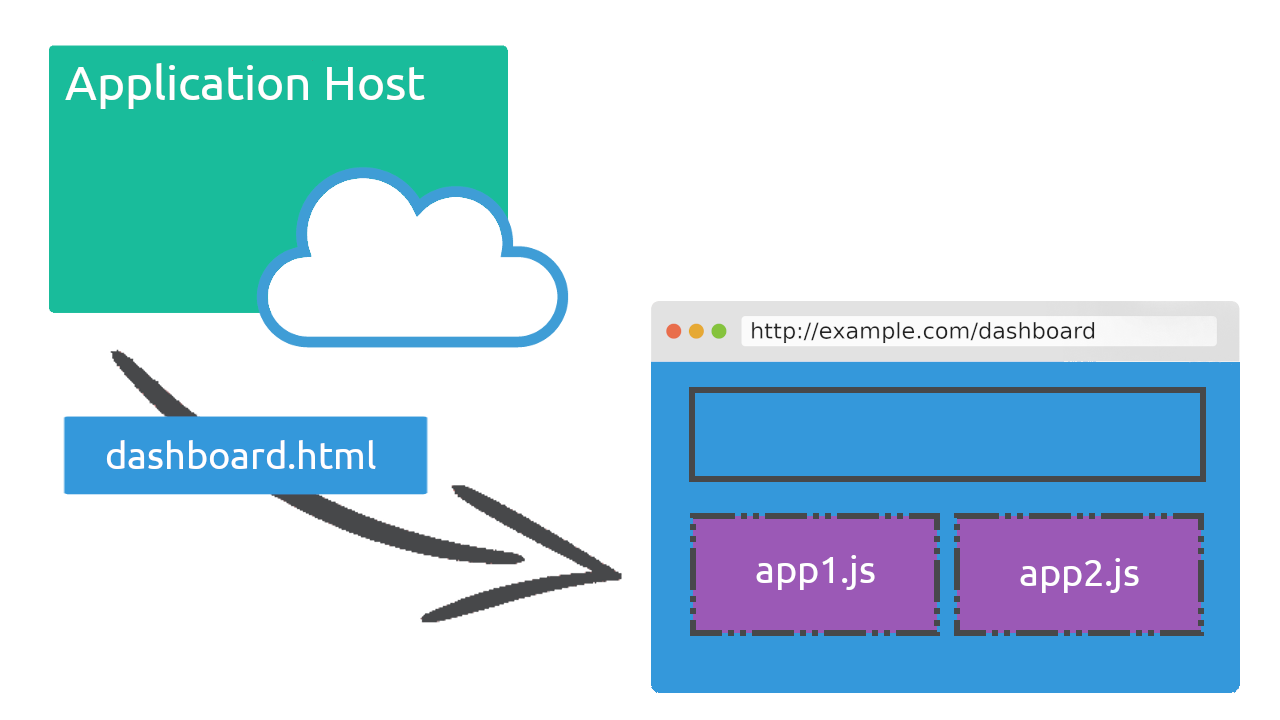
The Application Host will delivery an HTML like this
<html>
  <body>
    <h1>Hello World</h1>
    <div id="element1"></div>
    <div id="element2"></div>

    <script
      src="https://front-hub.rdstation.com.br/assets/front-hub/13.3.0/require@13.3.0.js"
      integrity="sha384-AqxXr1Pp6xB2HX5zbd+mvVKY9r7RMmYs+CQL0hlhhLIGB45jngqHEB07Yijr0S9L"
      crossorigin="anonymous"
    ></script>

    <script type="text/javascript">
      fronthub('requireMicrofrontend', 'app1', function (hub) {
        hub.renderAt(document.getElementById('element1'))
      })

      fronthub('requireMicrofrontend', 'app2', function (hub) {
        hub.renderAt(document.getElementById('element2'))
      })
    </script>
  </body>
</html>
It is also the responsibility of the application host to give enough context data to the micro frontends be able to do its works. We teach you how to do that in the documentation - If you want to see it in action look at RDStation Marketing Source Code.
If you are familiar with React, the FrontHub hub.renderAt() is very similar to React's ReactDOM.render(), it will render the microfontends that we called app1 and app2. Click here to know more about requireMicrofrontend command and the function hub.renderAt.
You may have one app for the entire page, or split your page into micro frontends as shown here
The app1 and app2 are two totally independent micro frontends that will make up part of the page:
To create one of these applications use the following CLI command:
front-hub init app1
front-hub init app2
It will generate a project ready, you can use the yarn start command to start the development server.
In your app you will make your Hello World very similar to how you would do in your React project:
import React from 'react'
import { Connect } from '@resultadosdigitais/front-hub/react'

export default Connect(() => <h1>Hello from React</h1>)
Do not forget to decorate your root component with FrontHub HOC Connect(). Exporting is only necessary if you are planning to make your spa accessible to be imported by another micro frontend.
The rest of your application is pure a React as you are used to.
Best Practice: Subresource Integrity (SRI)
It is a good practice to load the FrontHub require script using an integrity attribute to follow the Subresource Integrity (SRI) policy. This security feature allows browsers to verify that the resources they fetch have not been tampered with, ensuring the integrity of the loaded script.
Subresource Integrity (SRI) is a browser security feature that ensures the scripts or resources your app loads haven't been tampered with. By adding the integrity attribute to your <script> tag (alongside crossorigin="anonymous"), browsers can verify that the fetched file's contents match an expected cryptographic hash. If even a single bit is changed in the resource, the browser will block it from loading, protecting your application from malicious changes or corruption.
FrontHub recommends using SRI for both the core loader scripts (like require.js) and for all common libraries shared across microfrontends in production. To learn more about how SRI works in FrontHub, especially when using shared dependencies through Commons, see the Subresource Integrity (SRI) section in the Commons documentation.
Below is the latest version of the FrontHub require script.
<script
  src="https://front-hub.rdstation.com.br/assets/front-hub/13.3.0/require@13.3.0.js"
  integrity="sha384-AqxXr1Pp6xB2HX5zbd+mvVKY9r7RMmYs+CQL0hlhhLIGB45jngqHEB07Yijr0S9L"
  crossorigin="anonymous"
></script>
| Version | Script URL | SRI Integrity Value |
|---|---|---|
| 13.3.0 | https://front-hub.rdstation.com.br/assets/front-hub/13.3.0/require@13.3.0.js | sha384-AqxXr1Pp6xB2HX5zbd+mvVKY9r7RMmYs+CQL0hlhhLIGB45jngqHEB07Yijr0S9L |